Showing posts with label Laravel. Show all posts

Saturday, March 3, 2018

[Resolved] Laravel fresh install index page shows 500 internal server error, no error log

I am using Laravel 5.6 with php7.2 version, I ensure I have removed the old php modules and these extension are with status enabled in my server:
PHP >= 7.1.3
OpenSSL PHP Extension
PDO PHP Extension
Mbstring PHP Extension
Tokenizer PHP Extension
XML PHP Extension
Ctype PHP Extension
JSON PHP Extension
Remark :
Remember you must ensure your php version is bigger or equal to version 7.1.3
It's strange that check server error log found nothing...

What I do is remove the whole laravel 5.6 project and install it again,
found there is some problem during installed :
    Error message : PHP extension dom is missing from you system.

What to do is install this php-do, here is the example using yum here:
sudo yum install php-dom
After you installed the missing extensions and run the command install laravel 5.6 again,
you may find the problem is alright .
sudo composer create-project --prefer-dist laravel/laravel blog

Reference 
https://laravel.com/docs/5.6

Saturday, September 9, 2017

[Laravel 5.5][Resoled] Call to undefined method Tests\Feature\AlphaTest::visit()


Error Message

PHPUnit 6.4.4 by Sebastian Bergmann and contributors.

E...                                                                4 / 4 (100%


Time: 200 ms, Memory: 10.00MB
There was 1 error:
1) Tests\Feature\AlphaTest::testDisplaysAlpha
Error: Call to undefined method Tests\Feature\AlphaTest::visit()
C:\wxxx\www\testxxxxxxxxx\tests\Feature\AlphaTest.php:18
ERRORS!
Tests: 4, Assertions: 9, Errors: 1.
And here is the test case source code :
<?php

namespace Tests\Feature;

use Tests\TestCase;
use Illuminate\Foundation\Testing\RefreshDatabase;

class AlphaTest extends TestCase
{
    public function testDisplaysAlpha()
    {
        $this->assertTrue(true);
        $this->visit('/alpha')
             ->see('Alpha')
             ->dontSee('Beta');
    }
}

There is no visit method built-in by default in Laravel 5.5. It uses dusk to perform browser tests and the method visit() is not available anymore. If you still wanted to use those behavior, install laravel/browser-kit-testing package :
composer require laravel/browser-kit-testing --dev
More reference  about browser-kit-testing reference this:
https://github.com/laravel/browser-kit-testing#laravel-browserkit-testing

After finished installing laravel/browser-kit-testing package to your laravel 5.5 project , edit your \test\TestCase.php from the default one to this:
<?php

namespace Tests;

//use Illuminate\Foundation\Testing\TestCase as BaseTestCase;
use Laravel\BrowserKitTesting\TestCase as BaseTestCase;

abstract class TestCase extends BaseTestCase
{
    use CreatesApplication;
    public $baseUrl = 'http://localhost';
}
What we need to do is import Laravel\BrowserKitTesting\TestCase as BaseTestCase instead of Illuminate\Foundation\Testing\TestCase as BaseTestCase; and then default a value named $baseUrl.

Run your test again :

Since this is the old method, it's recommend to learn using another alternative : Laravel Dusk to run full browser tests

Reference

https://laracasts.com/discuss/channels/testing/call-to-undefined-method-viewtransactionlisttestvisit
https://stackoverflow.com/questions/42645066/acceptance-test-method-visit-undefinied
https://laravel.com/docs/5.5/dusk

Thursday, August 3, 2017

[Laravel][Resolved] It is unsafe to run Dusk in production.

Step 1)

Add these few line to your composer.json file :
    "extra": {
      "laravel": {
        "dont-discover": [
          "laravel/dusk"
        ]
      }
    }
 Example:

Step 2)

And then run this command :
composer dump-autoload

Reference

https://github.com/laravel/dusk/issues/289
https://github.com/acacha/adminlte-laravel/issues/337
https://laracasts.com/discuss/channels/forge/it-is-unsafe-to-run-dusk-in-production-error-when-trying-to-deploy
https://medium.com/@taylorotwell/package-auto-discovery-in-laravel-5-5-ea9e3ab20518

Wednesday, July 26, 2017

[Laravel 5.5][Resolved] Class url not found in view

Have you move the view code from old laravel version?
Check have you missed to change old syntax, and are u using deprecated syntax.
for example, change this from
url::to("images/abc.jpg");
to
url("images/abc.jpg");

Saturday, July 22, 2017

[Laravel5.5][Resolved] Argument 1 passed to ForgotPasswordController::sendResetLinkFailedResponse() must be an instance of App\Http\Controllers\Auth\Request

Error message

Type error: Argument 1 passed to App\Http\Controllers\Auth\ForgotPasswordController::sendResetLinkFailedResponse()
must be an instance of App\Http\Controllers\Auth\Request,
instance of Illuminate\Http\Request given,
called in /var/www/example.com/public_html/vendor/laravel/framework/src/Illuminate/Foundation/Auth/SendsPasswordResetEmails.php on line 39

Solution

replace use "use App\Http\Requests;" by "use Illuminate\Http\Request;".

Reference

https://laracasts.com/discuss/channels/general-discussion/class-apphttpcontrollersrequest-does-not-exist?page=1

Tuesday, July 4, 2017

[laravel5.5][Resolved] laravel yield in php

 In blade template, it's :

@yield("title")
In php code, it's : (text in green)
<?php echo View::getSection('title'); ?>

Reference:
https://laravel.com/docs/5.5/blade
https://stackoverflow.com/questions/47847610/laravel-yield-in-code-php

Wednesday, June 21, 2017

[Laravel 5.4][Resolved] QueryException SQLSTATE[42000]: Syntax error or access violation: 1055

What i did is update laravel version from 5.0 to 5.4, found everything works but this sql by query builder.:


By default laravel 5.4 would select all (SELECT * ) if you haven't specific the column name you wanted to select, it causes error.

Solution 1

What you can do is add the column name caused error to your groupBy part:
From :
$data   = DB::table('table_a')->where('userid','=', Auth::user()->id)
                            ->where('species','!=', '')
                            ->where('action','=', 'insert')
                            ->join('table_b', 'table_b.index_id', '=', 'table_a.species')
                            ->join('table_c', 'table_b.table_c', '=', 'table_c.name_id')
                            ->groupBy('table_a.species')
                            ->take(5)->orderBy('table_b.last_edit_timestamp', 'desc')->get();
To
$data  = DB::table('table_a')->where('userid','=', Auth::user()->id)
                            ->where('species','!=', '')
                            ->where('action','=', 'insert')
                            ->join('table_b', 'table_b.index_id', '=', 'table_a.species')
                            ->join('table_c', 'table_b.table_c', '=', 'table_c.name_id')                            ->groupBy('table_a.species','table_b.last_edit_timestamp',"scientific_name","formatted_sciname")
                            ->take(5)->orderBy('table_b.last_edit_timestamp', 'desc')
                            ->select(["scientific_name","formatted_sciname","species"])
                            ->get();

Solution 2 

change default value of strict from true to false, in config/database.php at "mysql"
 'strict' => true


Reference :

https://github.com/barryvdh/laravel-translation-manager/issues/144

Thursday, March 30, 2017

[Laravel][Resolved] laravel is not recognized as an internal or external command , operable program or batch file.


Error message :

laravel is not recognized as an internal or external command , operable program or batch file.
Firstly you need to make sure you have add this environment value exists:

%USERPROFILE%\AppData\Roaming\Composer\vendor\bin;


You can click system in control panel , and then click "Advanced system settings"


And than add "%USERPROFILE%\AppData\Roaming\Composer\vendor\bin;" to variable value of system variables : Path


but make sure the path you added the environment value exits


Restart your commend prompt.

Reference

http://stackoverflow.com/questions/25528583/laravel-is-not-recognized-as-an-internal-or-external-command

Wednesday, March 29, 2017

[Laravel 5.4][Resolved] Foreign key constraint is incorrectly formed


 Error message:
 [Illuminate\Database\QueryException] SQLSTATE[HY000]: General error: 1005 Can't create table `mhhk`.`#sql-1b24_2  b` (errno: 150 "Foreign key constraint is incorrectly formed") (SQL: alter   table `news` add constraint `news_user_id_foreign` foreign key (`user_id`)   references `users` (`user_id`) on delete cascade)          

Firstly, you need to ensure you create the foreign key column, such as :
$table->unsignedInteger('user_id');
$table->foreign('user_id')->references('user_id')->on('users')->onDelete('cascade');
And then you should ensure the table and column you referenced to is created. For example, the schema builder with foreign() column type show above would create this sql :
ALTER TABLE `news` add constraint `news_user_id_foreign` foreign key(`user_id`) references 'users' (`user_id`) on delete cascade
In this case, it add a constraint named `news_user_id_foreign` to table `news`, it makes existing column `user_id` in table `news` references to column `user_id` in table `users`. To run this sql statement successfully, you need to ensure the table `users` and column `user_id` exists. It's better if make that column unique. An example :

$table->increments('user_id')->unique();
Also please ensure foreign key and column reference from foreign key are with same data type.

Do migration again. if it's still not work, reset migrate and then run dump-autoload via command prompt:
php artisan migrate:reset
composer dump-autoload

Reference

https://stackoverflow.com/questions/22367088/laravel-foreign-key-constraint-is-incorrectly-formed 
https://stackoverflow.com/questions/43103692/eloquent-foreign-key-constraint-is-incorrectly-formed-laravel

Tuesday, March 28, 2017

[Laravel 5][Resolved] syntax error or access violation: key column doesn't exists in table


Error message :
[PDOException]
SQLSTATE[42000] : Syntax error or access violation: 1072 key column 'key_id' doesn't exists in table
The error caused by you missed creating the column "key_id" before you assign it as foreign key.

There is the example with problem:
Schema::create('tables', function (Blueprint $table) {
    $table->increments('d')->uniqlue();
    $table->foreign('key_id',10)->references('news_id')->on('news')->nullable();
    $table->string('title',30)->nullable();
    $table->timestamps();
    $table->softDeletes();
});
Corrected code:
Schema::create('tables', function (Blueprint $table) {
    $table->increments('d')->uniqlue();
    $table->integer('key_id')->unsigned()->nullable();
    $table->foreign('key_id',10)->references('news_id')->on('news')->nullable();
    $table->string('title',30)->nullable();
    $table->timestamps();
    $table->softDeletes();
});

Reference

https://stackoverflow.com/questions/33633684/laravel-migration-cant-add-foreign-key

Thursday, March 23, 2017

[Laravel 5.4] syntax error or access violation: 1071 Specified key was too long: max key length is 767 bytes

Error message :
SQLSTATE[42000]: Syntax error or access violation: 1071 Specified key was too long; max key length is 767 bytes.
Visit the AppServiceProvider.php file in your project : \app\Providers\AppServiceProvider.php

C:\wamp\htdocs\m\app\Providers\AppServiceProvider.php


and this line within boot() function
Schema::defaultStringLength(191);

and this line under namespace:
use Illuminate\Support\Facades\Schema;

Example code :

Reference

https://github.com/laravel/framework/issues/17508

Tuesday, February 14, 2017

[Laravel5.4][Resolved] array_merge(): Argument #2 is not an array

(2/2) ErrorException

array_merge(): Argument #2 is not an array (View: C:\xampp\htdocs\test\resources\views\articles\show.blade.php)
in Factory.php (line 134)
at CompilerEngine->handleViewException(object(ErrorException), 1)in PhpEngine.php (line 44)
I think there maybe many reason to cause this problem, I almost can't search the solution from internet to solve this...
Finally I found this line cause the problem, where the $data is an object:
@include('modules.panel', $data)
I guess this require argument two as array format but it's an object, so i convert it to array and it works fine:
@include('modules.panel', (array) $data)

Thursday, January 19, 2017

[Laravel 5][Resolved] patch update MethodNotAllowedHttpException

Got an error message :
(1/1)MethodNotAllowedHttpException

in RouteCollection.php (line 251)

at RouteCollection->methodNotAllowed(array('PATCH', 'DELETE'))
in RouteCollection.php (line 238)

at RouteCollection->getRouteForMethods(object(Request),array('PATCH', 'DELETE'))
in RouteCollection.php (line 176)

at RouteCollection->match(object(Request))
in Router.php (line 548)

at Router->findRoute(object(Request))
in Router.php (line 527)

at Router->dispatchToRoute(object(Request))
in Router.php (line 513)

at Router->dispatch(object(Request))
in Kernel.php (line 176)

at Kernel->Illuminate\Foundation\Http\{closure}(object(Request))

It cause by sending a post request to a path but the target page register as HTTP verb PATCH in routes file.

html :

<form method="POST" action="http://localhost:1234/test/item/2" accept-charset="UTF-8" class="form-horizontal">

route file (\test\routes\web.php)

Route::patch ('item/{id}','TestController@update')->name('test.update');


Solution

Method 1 :

Add this line to your form, input type "hidden" with input name "_method" and value "PATCH":

<input name="_method" type="hidden" value="PATCH">
Method 2 :
If you use model binding , define your method as PATCH
Form::model($test ,["route"=>url("item/".$id) ,"method"=>"PATCH"])
So that form elements it would auto add a "<input name="_method" type="hidden" value="PATCH">" sentence after your opening tag of your form element.

Reference

https://stackoverflow.com/questions/25857650/laravel-form-wont-patch-only-post-nested-restfull-controllers-methodnotallo

Sunday, October 9, 2016

[OAuth2][Laravel][Resolved] your requirements could not be resolved to an installable set of packages

Problem

My story is i am following a tutorial and tried to install OAuth2 package with composer for laravel5.0 but fail, this is the part i added in composer.json located in project root.
    "require": {
        "laravel/framework": "5.0.*",
        "lucadegasperi/oauth2-server-laravel": "5.0.*"
    },

the related command on Windows platform :
composer update
And the error message :
your requirements could not be resolved to an installable set of packages: Conclusion: don't install laravel/frameworkv5.0.xx

Solution

Firstly you have to visit official OAuth2 package website to check are you required to install a correct OAuth2 package version via composer
Official site of github lucadegasperi/oauth2-server-laravel :
https://github.com/lucadegasperi/oauth2-server-laravel

For my case i should install "lucadegasperi/oauth2-server-laravel": "4.0.*" but not "lucadegasperi/oauth2-server-laravel": "5.0.*" for my laravel 5.0.x.

So i have to correct the oauth2 version and run "composer update" command again.

    "require": {
        "laravel/framework": "5.0.*",
        "lucadegasperi/oauth2-server-laravel": "4.0.*"
    },


Wednesday, April 22, 2015

[Laravel] Methods to Custom validation error message

There is 3 methods (i know) to custom the validation message:

Method 1 : 

Change line at views which show the error.
Chnage the line from calling the default message
@if ($errors->has('name')) <p class="help-block">{{ $errors->first('name') }}</p> @endif
to (change your default error maessage from the red text):
@if ($errors->has('name')) <p class="help-block">Please input your name in the blank.</p> @endif

Method 2 : 

Edit value at validation.php
Laravel 4 path:
app\lang\en\validation.php
Laravel 5 path:
resources\lang\en\validation.php

return array(
    /*
    |--------------------------------------------------------------------------
    | Validation Language Lines
    |--------------------------------------------------------------------------
    |
    | The following language lines contain the default error messages used by
    | the validator class. Some of these rules have multiple versions such
    | as the size rules. Feel free to tweak each of these messages here.
    |
    */

    "accepted"      => "The :attribute must be accepted.",
    "active_url"    => "The :attribute is not a valid URL.",
    "after"         => "The :attribute must be a date after :date.",
    "alpha"         => "The :attribute may only contain letters.",
    "alpha_dash"    => "The :attribute may only contain letters, numbers, and dashes.",
    "alpha_num"     => "The :attribute may only contain letters and numbers.",
    "array"         => "The :attribute must be an array.",
    "before"        => "The :attribute must be a date before :date.",
    "between"       => array(
        "numeric"   => "The :attribute must be between :min and :max.",
        "file"      => "The :attribute must be between :min and :max kilobytes.",
        "string"    => "The :attribute must be between :min and :max characters.",
        "array"     => "The :attribute must have between :min and :max items.",
    )
);

Method 3 : 

make an array and pass to your costumn Error Message to validator class at the route or controller

$rules = array(
    'name'      => 'required',                                   
    'interest'  => 'required|unique:tbl_columnist_article',      
    'content'   => 'required'
);   
$messages = array(
    'name.required'     => 'Please fill in the name.',
    'interest.required' => 'Please select an interest',
    'interest.unique'   => 'SomeOne has this interest, please choose another interest',
    'content.required'  => 'Please fill in the contetnt.'
);      
$validator = Validator::make(Input::all(), $rules, $messages);
And then use foreach to echo message:
@if($errors->has())
   @foreach ($errors->all() as $error)
      <div>{{ $error }}</div>
  @endforeach
@endif

Tuesday, April 7, 2015

[Laravel] Load javascript, css, and image in view

Last update at 24/05/2017:
If you want take advantage of a helpers via the Laravel HTML component in Laravel 5.x (by default it is not embedded anymore). For detail, you can reference from this links:
https://stackoverflow.com/questions/28541051/class-illuminate-html-htmlserviceprovider-not-found-laravel-5

Firstly, you need to place your assets in the public folder located at your project root, (both public folder of Laravel4 and 5 are located at project root)
For example:
- public/css/style.css
- public/js/jquery.js
- public/images/hello.png

JavaScript

To generate an line of code to call javascript in view:
{{ HTML::script('js/jquery.js'); }}
 <script src="http://localhost/project_name/public/js/jquery.js"></script>


CSS

To generate an line of code to call css style in view:
{{ HTML::style('css/style.css'); }}
output:
<link media="all" type="text/css" rel="stylesheet" href="http://localhost/project_name/public/css/style.css">


Image

To generate an line of code to call images in view:
Code to generate a simple image tag:
{{ HTML::image('images/hello.png') }}
Output:
<img src="http://localhost/project_name/public/images/hello.png">
Code to generate a image tag with attribute:
{{ HTML::image('images/hello.png', 'calendar', array('id' => 'article_post_fromdate_img','class'=>'calendar')) }}
Output:
<img src="http://localhost/beauty_laravel/public/images/hello.png" id="article_post_fromdate_img" class="calendar" alt="calendar">


Reference:
http://stackoverflow.com/questions/13433683/using-css-in-laravel-views
https://laravel.io/forum/09-20-2014-html-form-class-not-found-in-laravel-5 

Tuesday, March 31, 2015

[Laravel][Resolved] Error methodnotallowedhttpexception in Laravel 4


In php, there are two ways the browser client can send information to the web server:

•  GET Method
•  POST Method

For my case, I used “POST” as the method to send the form to web server but set use “GET” method to route. Request is made with a request method not supported, (POSTing to a GET route) so that it causes an error.

View:
<form method="POST" action="{{Request::url()}}">

Route.php
Route::get('test/create/', 'TestController@overviews');

Solution:
If you use POST method to post the form data. Change your route statement at route.php to post method:
Route::post('test/create/', 'TestController@overviews');

***** OR *****
If you use GET method to send the form data. Change value of method attribute in your form to “get” in your view.
<form method="GET" action="{{Request::url()}}">
Update:
If still don't work, you can try use this at route:
Route::match(array('GET', 'POST'), ''test/create/', 'TestController@overviews');

Reference:
http://www.tutorialspoint.com/php/php_get_post.htm
http://wenda.golaravel.com/question/52
http://stackoverflow.com/questions/17501653/methodnotallowedhttpexception-laravel-4
http://stackoverflow.com/questions/19760585/laravel-throwing-methodnotallowedhttpexception
http://stackoverflow.com/questions/18326030/how-to-route-get-and-post-for-same-pattern-in-laravel

Sunday, March 29, 2015

[Laravel][Resolved] Class '\User' not found


Error message:
Symfony \ Component \ Debug \ Exception \ FatalErrorException (E_ERROR) Class '\User' not found Controller edit from scotch.io
public function doLogin() {
    $rule = array(
        'username' => 'required|min:3',
        'password' => 'required|alphaNum|min:3'
    );
    $validator = Validator::make(Input::all(), $rule);
    if($validator->fails()){
        return Redirect::to('login')
               ->withErrors($validator)
               ->withInput(Input::except('password'));                  
    }else{
        $userdata = array(
            'username' => Input::get('username'),
            'password' => Input::get('password')
        );
    }
   
    if(Auth::attempt($userdata)){
        echo 'SUCCESS!';
    }else{
        return Redirect::to('login');
    }
}


Since the line “Auth::attempt($userdata)” would call the model named “User” and interact with the table named “users” by default. If you do not want to use table users or use another model name, you can go to edit the auth config file at:

Laravel 4 :
app/config/auth.php
Laravel 5:
config/auth.php

And change the value of model and table:
    'model' => 'User',
    'table' => 'users',
For example, to
    'model' => 'Admin',
    'table' => 'admins_table',


Reference:
Controller code :
https://scotch.io/tutorials/simple-and-easy-laravel-login-authentication
Solution:
http://stackoverflow.com/questions/15801314/class-user-not-found-in-laravel


Saturday, March 28, 2015

[Laravel] Laravel 4 default user model for authentication

Since i faced the "Class User contains 3 abstract methods and must therefore be declared abstract or implement the remaining methods" Error, and i tried to look for the default user model to copy method but have some difficult to find it out.

This post is the default Lavavel 4 user model for an reference copying
the methods to solve the abstract methods missing problem.

<?php

use Illuminate\Auth\UserInterface;
use Illuminate\Auth\Reminders\RemindableInterface;

class User extends Eloquent implements UserInterface, RemindableInterface {

    /**
     * The database table used by the model.
     *
     * @var string
     */
    protected $table = 'users';

    /**
     * The attributes excluded from the model's JSON form.
     *
     * @var array
     */
    protected $hidden = array('password');

    /**
     * Get the unique identifier for the user.
     *
     * @return mixed
     */
    public function getAuthIdentifier()
    {
        return $this->getKey();
    }

    /**
     * Get the password for the user.
     *
     * @return string
     */
    public function getAuthPassword()
    {
        return $this->password;
    }

    /**
     * Get the token value for the "remember me" session.
     *
     * @return string
     */
    public function getRememberToken()
    {
        return $this->remember_token;
    }

    /**
     * Set the token value for the "remember me" session.
     *
     * @param  string  $value
     * @return void
     */
    public function setRememberToken($value)
    {
        $this->remember_token = $value;
    }

    /**
     * Get the column name for the "remember me" token.
     *
     * @return string
     */
    public function getRememberTokenName()
    {
        return 'remember_token';
    }

    /**
     * Get the e-mail address where password reminders are sent.
     *
     * @return string
     */
    public function getReminderEmail()
    {
        return $this->email;
    }

}
File location: 
your_laravel_project_root/app/models/User.php

Sunday, March 22, 2015

[laravel][Resolved] create laravel 4 or specific version project via composer (latest is laravel5)

Use this composer command to create:

composer create-project laravel/laravel=version_number your-project-name --prefer-dist

For my case as an example:

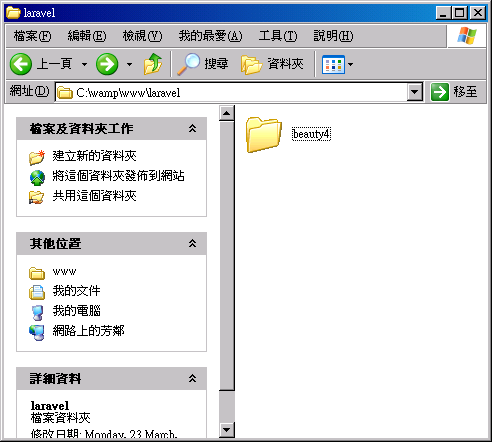
composer create-project laravel/laravel=4.1.27 beauty4 --prefer-dist


Reference:
http://stackoverflow.com/questions/23754260/installing-specific-laravel-version-via-composer-create-project